Homes Onboarding Guide
This guide will provide you with information on how the homes Pro Photography program functions, what the photographer role is in it, and resources to simplify the process.


Onboarding checklist
Complete these four critical items to set yourself up for success.
Review this page
This page will inform you on an overview of how the program works, how to coordinate the photoshoots, roles and responsibilities, and more.
Onboarding guides
Review the three articles linked in the “Next steps” section towards the bottom of this page to set up your account, learn to navigate the tools, and more.
Additional resources
Explore our resources so your can be confidently aligned with our style and expectations.
First assignment
Once you accept your first assignment and review the attached creative brief, it’ll be your time to shine!
Airbnb explained
Airbnb is a global platform where travelers can discover memorable experiences hosted by local experts. Experiences can be anything from sidecar tours in Paris to traditional paella making in Barcelona. Since 2011, our goal has been to offer an easy and effortless professional photography program that will help hosts improve the quality of their content.We expect all photographers in our program to be professional and respectful of our hosts and their property. Additionally, we expect that Hosts are respectful of your time and expertise.
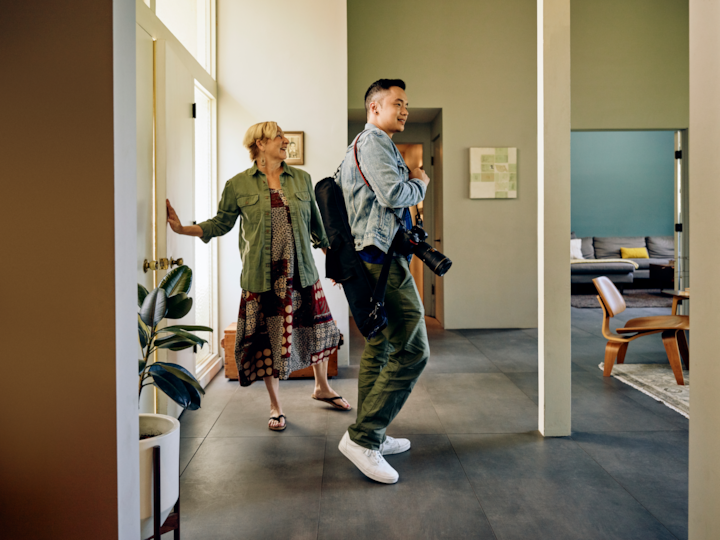
How the program works
1
Receive the assignment
Review the assignment details and accept or decline the job. Review the creative brief attached to the assignment.
2
Coordinate with host
The photographer reaches out to the host using the contact information in the assignment. They work together to schedule a time that works for both parties.
3
Photograph the listing
The photographer will arrive on time to the photoshoot with their equipment, ready to capture the required deliverables outlined in the brief linked in the assignment.
4
Upload merged DNGs
No retouching needed! Just export your files as RAW DNGs, and upload them to the assignment.
5
We do the retouching
We handle the post production and upload the selected photos to the host’s listing.
6
Receive payments
Payments are made within 30 days of completion of the photoshoot.
Before a photoshoot
Onboarding checklist
The photographer will be expected to reach out to the host to coordinate the photoshoot. You can use the following four tips to gather all the information you need before reaching out to the host.
Identify location
In the assignment page on Navigate, check the address to identify the location and your proximity to it (for travel time).
Review creative brief
Always review the creative brief linked in the assignment (in Navigate) to identify if any additional shots are needed (i.e sunset shots, drone, etc.).
Decide on timeframe
In the assignment, identify how many rooms the home has. We advise estimating aprox. 40-60 minutes per bedroom (and bathroom). Notify the host of the length of the shoot.
Identify availability
Check your calendar and identify 3 potential dates to offer to the host. We recommend spacing these prospective dates over the span of two weeks.
Contacting the host
Locate the host’s email and phone number in the assignment details in Navigate.You can use these suggested templates by copy and pasting them into your email to hosts.
Email 1: Host outreach template
Hello ______,I am _________ a freelance photographer in Airbnb’s Pro Photography Program assigned to photograph your listing. I'd love to confirm a date that works for you. If none of these work, feel free to suggest a few alternative options:Option 1: Option 2: Option 3: Please note that I will need approximately ___ hours to complete the photoshoot. Thanks, _____________*If you have any questions, please reach out to the Airbnb photo team at photography@airbnb.com.
Email 2a: Host response template
Hello ______,Thanks for sharing those dates! Option X [insert date/time] works best for me. How you can preparePlease read the photoshoot prep guide ahead of our session. Photoshoot accessIf there are any shared amenities such as a swimming pool or gym that will require photography, please ensure we have any necessary approvals and can get access on the date of our shoot. Lastly, please let me know if there are any gate codes or other information I will need to enter the property. If for some reason you would prefer to cancel your shoot, please contact photography@airbnb.com, at least 72 hours before your scheduled date, to let them know. Thanks, _____________*If you have any questions regarding this email, or need to cancel the photoshoot, please reach out to the Airbnb photo team at photography@airbnb.com.
Email 2b: Host unresponsive template
Hello _______I’m just following up on the email I sent you last week. I still have not heard back from you regarding your availability. Please kindly respond with a few potential photoshoot dates. I currently have the following dates available:Option 1:Option 2:Option 3: If for some reason you would prefer to cancel your shoot, please be sure to contact photography@airbnb.com at least 72 hours before your scheduled date, to let them know.Thanks,_______________
Email 3: 48 hours before photoshoot template
Hello ______,I’m reaching out to remind you of our photoshoot for listing ___________ in 2 days. I will be arriving at _____. Please be sure your listing is prepared according to Airbnb’s Host prep guide.As a reminder, the Airbnb guidelines require all lights to be turned off. I may, however, need to turn on lights in rooms where natural lighting is inadequate. On average, the new, retouched images will be live on your Airbnb listing page within 7 to 10 business days.Thanks,___________*If you have any questions regarding the validity of this email, please reach out to the Airbnb photo team at photography@airbnb.com and they will confirm that I am a part of the Airbnb Pro Photography Program.
During a photoshoot
Timeframe
On average you can expect a photo session to take between 40-60 minutes per bedroom (with bathroom), with additional time per common spaces. This can vary based on the size of the property and the common spaces included, but on average photographers typically spend approximately:
0-1-Bedroom
40 - 60min
2-3 Bedrooms
80 - 180min
4-5 Bedrooms
160-300min
6 Bedrooms+
240 - 360min
Equipment
Required equipment
- Clean camera with full frame sensor*
- Zoom lens between 16-20mm
- Tripod (ideally with level)
- Lens hood
- Bracket Merging Software**
- Lens between 20-50mm
- Grey Card
- Door stopper (for fire-doors etc.)
- Lens wider than 16mm
- Fisheye or prime lens
- Flash or strobes

Roles & responsibilities
Photographer’s role
Scheduling
- If the host has not added dates, it’s the photographer’s responsibility to reach out to them to identify new possible dates
- Photographers can leverage the suggested email templates found in the ‘Contacting the host’ section above
Photoshoot & Upload
- Capture the home based on assignment’s ‘Creative brief’
- Show up on time to photograph
- Capture all deliverables
- Merge bracketed assets
- Upload DNGs within 24hrs
Provide host support
- Facilitate canceling on behalf of the Host
- Answer hosts questions
Host's role
Before photoshoot
- Work with photographer to schedule a date for the photoshoot
- Clean and style the home before the photoshoot
During photoshoot
- Make sure photographer has access to the space they need during the photoshoot
After photoshoot
- Review the live images
- Change the order of the images to their liking
- Delete unwanted/duplicate images
- Add descriptions
Airbnb's role
Tools
- Defines creative brief
- Connect photographers and hosts
- Manage assignment requests
- Troubleshoot tool issues for hosts & photographers
Retouching & upload to listing
- Receive DNG images
- Makes selections & retouches photos
- Uploads to host’s profile
- Notifies host that images are live
- Issues photographer payment
Support
- Answer hosts questions
- Answer photographers questions
Important next steps
In order to begin receiving assignments, you’ll need to get your account setup. Here are 3 tasks to complete:


Answering hosts questions
Photoshoot
How do I schedule the photoshoot?
We will coordinate the photoshoot together on a date that works for the both of us. Please remember to block your calendar if you’d like to schedule a photoshoot in the afternoon that may affect a guest’s arrival.
What happens if I need to cancel the photoshoot?
We understand these things happen but please let me know as soon as possible so that I can adjust my schedule. I’d be happy to reschedule this photoshoot on a future date.
Will you help me style and design my home for the photoshoot?
Unfortunately, this is not something I can assist with. I can provide some light suggestions, but the home needs to be ready for the photoshoot upon my arrival.
How long should the appointment last?
This depends on the size of the property, but on average the duration of a photoshoot is between 1 to 3 hours.
What is Airbnb’s photography style?
Airbnb has developed their style of photography based on over a decade of operating this photography service. The style prioritizes natural light, a mix of compositions, and lenses that accurately showcase the size of your home.
Deliverables
Will I receive the files for the retouched images?
I am unable to share the images directly with you, and you’re welcome to contact Airbnb’s support team via the Host Portal link.
How many retouched images should I expect?
This is determined based on the number of bedrooms of your Airbnb listing. Studios can expect 15 retouched images and the number increases from there.
Will I be able to review the images prior to them being uploaded to my listing page?
The Airbnb team will notify you once the retouched images have been uploaded to your page. Once they are uploaded, you have the ability to rearrange or delete the images you’d like.
How long will it take for the images to be live on my Airbnb listing page?
On average, the new, retouched images will be live on your Airbnb listing page within one week of the photoshoot.
What if I don’t want to follow Airbnb’s style for my photoshoot?
I’d be happy to accommodate your requests as best I can. For example, I may ask to take photographs with the lights both on and off.
Pricing & Support
How to contact Airbnb’s photo team’s customer support?
The easiest way to contact Airbnb’s photo team is via your unique Host Portal link. This link can be found in every email you receive from them.
How much does this photo shoot cost?
The cost for your photoshoot is detailed in the top right corner of your unique Host Portal link. You can find this a link to the Host Portal in any email you have received from Airbnb’s photo team.
How does payment work?
After the images are live, Airbnb will add an adjustment to your account that will be deducted from a future reservation’s payout.
Missing Photo? (I remember a photographer took this specific photo, but I don’t see it in my PDP)
After I upload the images, Airbnb manages all of the editing and retouching. If you have any feedback, you can contact their team via your unique Host Portal link which can be found in every email you’ve received from their team. If you write a detailed description of what you’re missing, the team can do their best to find it for you.
What if there are missing images or if I have feedback on the quality of the retouching?
After I upload the images, Airbnb manages all of the editing and retouching. If you have any feedback, you can contact their team via your unique Host Portal link which can be found in every email you’ve received from their team.
The content of this page is proprietary and confidential information of Airbnb and shall not be used, disclosed or reproduced, in whole or in part, for any purpose without the prior written consent of Airbnb.Questions?
photography@airbnb.com